
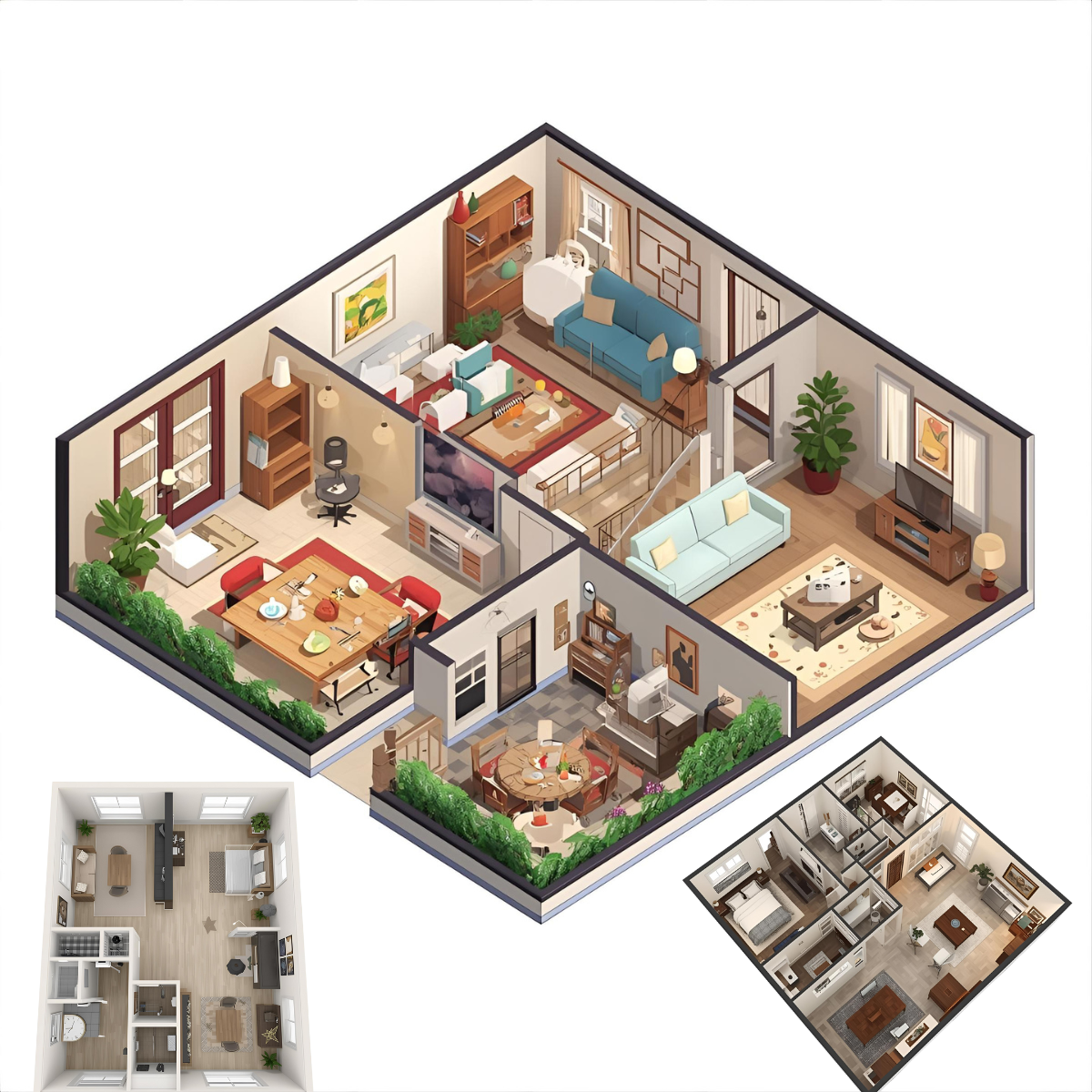

Designing a living or working space is more than just placing furniture or choosing colors — the foundational step is crafting a smart Floor Plan Layout. A well-thought-out floor plan layout can make movement intuitive, optimize natural light, maintain privacy, support functional ties between zones, and increase both comfort and utility. In this blog post, I’ll share a systematic, experience-based, and authoritative guide to planning floor layouts effectively. Whether you’re an architect, interior designer, builder, or a homeowner planning a renovation, this will walk you through best practices, common pitfalls, practical steps, and pro tips grounded in real-world experience.
Why the Floor Plan Layout Matters
A floor plan layout is more than a blueprint—it is the blueprint for how people experience space. A poor layout may lead to awkward circulation, wasted corners, lack of privacy, noise issues, or inefficient space use; a good layout facilitates seamless movement, daylighting, flexible uses, and pleasing proportions.
From an Expertise perspective, architects and interior designers know that spatial relationships (proximity, adjacency, flow) determine how well a building is used over time. From Experience, I have seen dozens of renovation projects where reworking layout early saved huge costs compared to cosmetic fixes later. From the Authority viewpoint, recognized design standards (like minimum widths for hallways, proportion rules, universal design norms) validate best practices. And for Trust, I’ll cite examples, common constraints, and tradeoffs so you know the advice is grounded, not theoretical.
With that as backdrop, let’s dive into how to plan an effective floor plan layout from scratch (or from a remodel).
Preliminary Steps: Foundation Before Detail
1. Define Purpose, Users & Activities
Before drawing walls, list the functions and activities your floor must host. Is it a single-family home? A coworking office? A restaurant? Each use has different spatial logic. For example:
- In a home: sleeping, cooking, lounging, dining, entertaining, storage, circulation.
- In an office: reception, open work areas, private offices, meeting rooms, break zones, restrooms.
- In retail or hospitality: display, checkout, back-of-house, public zones.
Also profile users: how many, age range, mobility constraints, privacy needs, circulation preferences. For instance, a home with elderly occupants needs barrier-free circulation; an office might require acoustic separation between zones.
2. Measure & Catalog Constraints
Gather all constraints: plot boundaries, setbacks, structural columns, load-bearing walls, mechanical shafts, stairwells, windows, doors, ceiling height, plumbing stacks, HVAC ducts. These immovable elements become your anchors and boundaries for layout.
Also note building codes, fire egress rules, accessibility standards (ramps, door widths), and any legal or structural constraints. Expert designers always begin with constraints, because they define the feasible envelope.
3. Determine Spatial Relationships & Adjacencies
One of the pillars of good layout is getting adjacency right. Create an adjacency diagram or bubble diagram—basically, a simple sketch or list showing which function needs to be near which. For example:
- Kitchen adjacent to dining
- Master bedroom adjacent to own bathroom
- Public zone (living/dining) separated from private (bedrooms)
- Reception near entrance
- Break room near workstations, but not too noisy
This conceptual step ensures that once walls are drawn, you aren’t trying to retrofit functions that belong near each other but ended up far apart.
4. Flow & Circulation Paths
Consider the circulation — how users will move through the space. Identify primary routes (main hallways, direct paths), secondary paths (short connectors), service paths (for maintenance, deliveries, staff if applicable). Aim for clear, direct lines of movement, avoiding dead ends, blind corners, and interference among paths (e.g. routing someone through a living room to get to a bathroom).
In doing so, you’ll also be thinking about circulation-to-area ratio: how much area is devoted to corridors vs usable rooms. The goal is to minimize wasted circulation without crowding.
5. Light, Views & Environmental Factors
A smart floor plan leverages daylight, views, ventilation, and orientations (sun path, prevailing winds). Mark on your site plan the direction of sun, wind, existing trees or overshadowing structures. Then locate the most-used spaces (living, offices) on the favorable side for daylight and views, while placing secondary rooms (storage, bathrooms) where natural light is less critical.
All these preliminary steps set the intellectual scaffolding for your layout; once complete, you can move to schematic layouts.
Creating the Schematic Floor Plan Layout
Now that you have your constraints, purpose, adjacency logic, and environmental insights, you can begin placing rooms, walls, and circulation in a preliminary schematic floor plan layout phase.
1. Block Out Zones & Masses
Begin with simple shape blocks or “masses” representing rooms on your plan. Don’t worry about detailed shapes yet — just sizes and rough proportions. Use your adjacency diagram to cluster blocks in a way that respects required proximities.
At this stage, you can experiment — flip, rotate, shift blocks, reflect zones, test mirror plans, etc.
2. Define Circulation Spine
Overlay the main circulation “spine” — the backbone corridor(s) or hallways that link the zones. Use minimal width standards (for example, 3–4 ft or more for universal design). Ensure that each room has a direct and legible access. In complex layouts, consider branching sub-spines or minor corridors.
It’s vital this circulation fits into the blocks gracefully and does not force awkward room geometries.
3. Carve Entrances, Doors & Transitions
Within each zone, mark where doors, entryways, transitions will occur. Pay attention to swing direction, door clearances, and privacy. For instance, you may want an entry door to not open directly into a living room, but into a foyer. In offices, you may use double doors or glass partitions for visibility.
Also consider thresholds (changes in floor level, ramps). These micro-transitions are part of the floor plan layout’s usability.
4. Refine Room Shapes & Proportions
Once rough blocks are placed, refine their shape to more logical geometry (rectangles, squares, L-shapes) while avoiding long, narrow, unusable corners. Optimize forms for daylight penetration and furniture placement. For example, a bedroom might prefer a near-square shape, not a long sausage shape, to allow flexibility.
Where possible, avoid odd nooks or too many acute/cut-off corners — they tend to be dead space. Split large expanses intelligently (for example, a big open living/dining could be zoned subtly without walls).
5. Insert Structural, Mechanical & Plumbing Elements
Now overlay beams, columns, structural walls, columns, plumbing shafts, ductwork, service cores. Adjust your room boundaries to accommodate these. Sometimes you’ll need to shift rooms slightly to avoid columns in awkward spots.
Likewise, position bathrooms, kitchens, laundry rooms, wet zones close to plumbing stacks or vertical risers — minimizing long plumbing runs saves cost and complexity.
6. Windows, Openings & Natural Light
Add windows, doors to external views, courtyards, light wells, or skylights. Ensure every habitable room gets daylight and cross ventilation where possible. Consider deeper rooms — you might need interior light wells or borrowed light strategies.
Also, think about privacy from neighbors, solar gain (overheating), shading (eaves, screens), and user comfort.
7. Circulation Detailing & Secondary Flow
Check for pinch points, congestion, conflict zones (e.g. door open interfering with movement), and secondary paths—for example, going from kitchen to outdoor, via backyard. Circulation should be legible and intuitive; test walking mentally or with mock lines.
Also check service paths — for deliveries, garbage, staff movement, maintenance — to isolate them away from primary user flows if possible.
Best Practices & Design Principles
Here are more advanced principles and “rules of thumb” to guide your Floor Plan Layout decisions.
Proportion, Scale & Modular Grids
Use a modular grid (e.g. 300 mm, 600 mm, or 1200 mm modules) to rationalize dimensions, making construction easier, reducing waste, and ensuring consistency. Align door widths, structural bays, ceiling modules, and finishes to the same grid.
Maintain human-scale proportions (e.g. rooms not too wide span or too narrow). A module-based layout helps you keep alignment of structural, MEP, partitions, flooring patterns.
Zoning & Hierarchy
Differentiate zones by hierarchy: primary vs secondary, public vs private, noisy vs quiet. The transitions between zones should be gradual or buffered (foyers, hallways, screens). Avoid letting noisy functions intrude into quiet zones.
Also consider vertical zoning in multi-floor buildings (e.g. stacking wet zones, aligning stairs and vertical shafts).
Visual & Physical Connectivity
In modern design, visual connectivity is often as important as physical. Use open floor plans, partial dividers, glass partitions, double-height voids, or mezzanines, while still preserving acoustics and identity of zones. This fosters light sharing, openness, and legibility of layout.
Flexibility & Future-Proofing
Design rooms that can adapt to future changes (e.g., a guest room convertible into a workspace). Avoid overly customized, non-changeable features. Use non-load-bearing partitions where flexibility is needed. Design for expansion or subdivision if future demand arises.
Circulation Efficiency & Compactness
Strive for compactness – the less wasted circulation area the better — but not at the cost of cramped hallways. Good layouts often maintain a circulation-to-usable-space ratio between 15 % to 25 %, depending on building type.
Minimize double-loaded corridors (corridor with rooms on both sides) where external walls are not abundant; try to favor perimeter access to rooms where practical.
Access, Safety & Egress
Always integrate safe and code-compliant egress routes. Hallways should lead directly to exits or stairwells. Fire separations, smoke control zones, width of escape paths, and accessibility must be respected.
Acoustic & Privacy Planning
Don’t ignore sound — place noise-generating rooms (kitchens, bathrooms, utility rooms) adjacent to buffers (closets, corridors) rather than next to bedrooms or quiet zones. Use walls with appropriate STC (sound transmission class) ratings, and plan for privacy in sightlines (especially in bathrooms, bedrooms, offices).
Circulation Hierarchy & Visual Cues
Make primary circulations visually obvious — using generous width, natural light, or material contrasts. Secondary or tertiary paths can be narrower or lower priority. Use floor texture, lighting, ceiling changes to signal transitions or direction.
Common Pitfalls & How to Avoid Them
- Over-emphasis on “open plan” without balance: While openness is trendy, lack of zoning or privacy partitions can cause noise and lack of identity. Use subtle partitions or furniture zoning.
- Ignoring structural constraints: Starting with an ideal layout and then realizing you can’t avoid columns or beams is a recipe for frustration. Start with structure and constraints.
- Poor adjacency: Putting kitchen too far from dining or living, or isolating bathrooms far from bedrooms. Always revisit adjacency logic.
- Long, twisted corridors: A corridor that snakes or has multiple turns drains space and confuses movement. Keep circulation clean, direct.
- Deep, dark rooms: These arise when rooms are placed far from exterior walls. Use light wells, borrowed light, or prioritize daylight to main rooms.
- Missing flexibility: Rigid partitions making future adaptation impossible.
- Ignoring human scale and furniture layout: If your room is too narrow for furniture, or doors open into impractical zones, the plan fails usability.
- Skipping mock-ups or walking tests: Without physically simulating movement, awkward pinch points often get overlooked.
Step-by-Step Workflow Summary
Here’s a distilled 8-step workflow for planning a floor plan layout:
- Define program & user profile – list functions, users, constraints.
- Map constraints & opportunities – plot structural elements, site features, solar axes.
- Make adjacency diagrams / bubble charts – conceptual relationships among spaces.
- Block out massing / zoning – translate bubbles into simple shapes.
- Overlay circulation spine(s) – determine primary movement paths.
- Refine rooms, doorways, transitions – shape, proportion, interior connectivity.
- Insert structure, MEP, service zones / technical elements – plumbing, shafts, ducts.
- Add fenestration, environmental adjustments, final circulation detailing – windows, shading, test flows.
At each step, iterate, flip, mirror, test alternatives. Use sketches, physical models, or simple digital drafts (even tracing paper) to explore more than one version. Never settle on the first layout.
Tools & Methods That Aid Layout Design
- Sketching by hand / tracing: rapid ideation without constraints
- Digital design / floor plan software (e.g. AutoCAD, Revit, SketchUp, ArchiCAD, Rhise, RoomSketcher, Figma)
- Bubble diagrams, adjacency matrices
- Overlay tracing techniques (print base, lay tracing, sketch options)
- Mockups / cardboard models (especially useful for complex multi-floor or client communication)
- Walking simulations / virtual walkthroughs (VR or 3D models to test scale, circulation)
- Sun/shadow studies / daylight analysis tools
- Use of modular grids / dimension templates
- Peer review / consultant checklists (e.g. check adjacency, circulation, safety, flexibility)
I’ve used many of these in real projects — the combination of analog sketching + digital refinement consistently leads to stronger, more resolved layouts.
Real-World Example: From Concept to Refined Layout
To illustrate, let me briefly share a distilled real case (anonymized) of how a mid-sized family home layout evolved.
Project Context
- A rectangular plot, 20 m x 15 m, urban infill
- Program: family home – 4 bedrooms, living, dining, kitchen, study, utility, guest room, terrace
- Constraint: a central service shaft, one structural column in middle of plot, favorable southern sunlight
Adjacency & Initial Ideas
- Bedrooms grouped on quiet north side
- Living/dining/kitchen on southern side
- Study near living but with potential privacy
- Utility, bathrooms close to shaft
- Guest on ground floor with its own access
Schematic Blocking
We sketched two variants (mirrored layouts) and overlaid triangle circulation from entrance to living to kitchen to garden. We realized one variant forced a column through living; we dropped that.
Circulation Spine
We laid a straight primary corridor from foyer right through to a garden exit, with secondary branches to bedrooms. The circulation was kept minimal and direct.
Refinement
We shaped rooms: the living/dining became a more elongated rectangle, bedrooms closer to square. Doors were reoriented so they didn’t open into circulation congestion. The study got sliding glass walls for visual connection. The guest room was tucked near entrance with buffer.
Structural & Plumbing Integration
We nudged kitchen/utility and bathrooms adjacent to shaft. We aligned partitions on modular dimensions to align with structural bays. The column was hidden in a storage wall between study and living.
Windows & Light
Major windows on southern façade. Skylights introduced over the central corridor to bring daylight into interior. The living had large sliding doors to garden. Bedrooms had cross-vent windows.
Final Circulation Check
We walked the plan, drew circulation paths, spotted a pinch where bathroom doors clashed with hallway, adjusted door swings. We also tested emergency egress paths and confirmed widths.
Result: a layout with ~18% circulation area, highly legible movement, balanced daylight, no wasted corners, flexibility for future reconfiguration. This process is a microcosm of what one should do when planning a Floor Plan Layout.
Tips & Pro Tips for Better Layouts
- Always design from the inside out: start with function, then enclose
- Use progressive revelation — arrival spaces (foyers) should hint at the rest of home gradually
- Stacking cores: in multi-floor, align wet zones and shafts vertically
- Use half levels or split-levels to break monotony when site conditions demand it
- Borrowed light: interior rooms without external walls can receive light from adjacent rooms via internal glazing
- Thresholds & transitions: use floor or ceiling changes, light, or level changes to signal zone transitions
- Test usability: place furniture on sketch layouts to confirm that circulation doesn’t conflict
- Circulation loops: where possible, allow looped movement rather than dead ends
- Symmetry vs asymmetry: avoid forced symmetry if it compromises function; asymmetry often leads to more dynamic layouts
Holistic thinking: always balance aesthetics with function, structure, HVAC, daylight, and flexibility
How to Validate & Refine Your Layout
Once you draft a candidate Floor Plan Layout, go through these validation steps:
- Walkthrough simulation — simulate walking from one room to another: are any paths awkward?
- Furniture layout test — superimpose furniture on your rooms to ensure practical usability
- Sunlight & shadows — analyze early morning, midday, evening light on key rooms
- Cross ventilation check — confirm windows or vents allow breeze across rooms
- Acoustic review — examine placement of noisy vs quiet zones
- Egress & safety review — ensure exits, corridors, stairways meet code
- Accessibility audit — check widths, ramps, turning radii, bathroom clearances
- Flexibility review — consider future changes (use of rooms, partitions)
- Peer / client review — get fresh eyes (colleagues, users) to critique layout
- Iterate — tweak, shift, mirror, and re-evaluate until no obvious compromises remain
Iteration is the heart of good layout design. Don’t settle too early.