
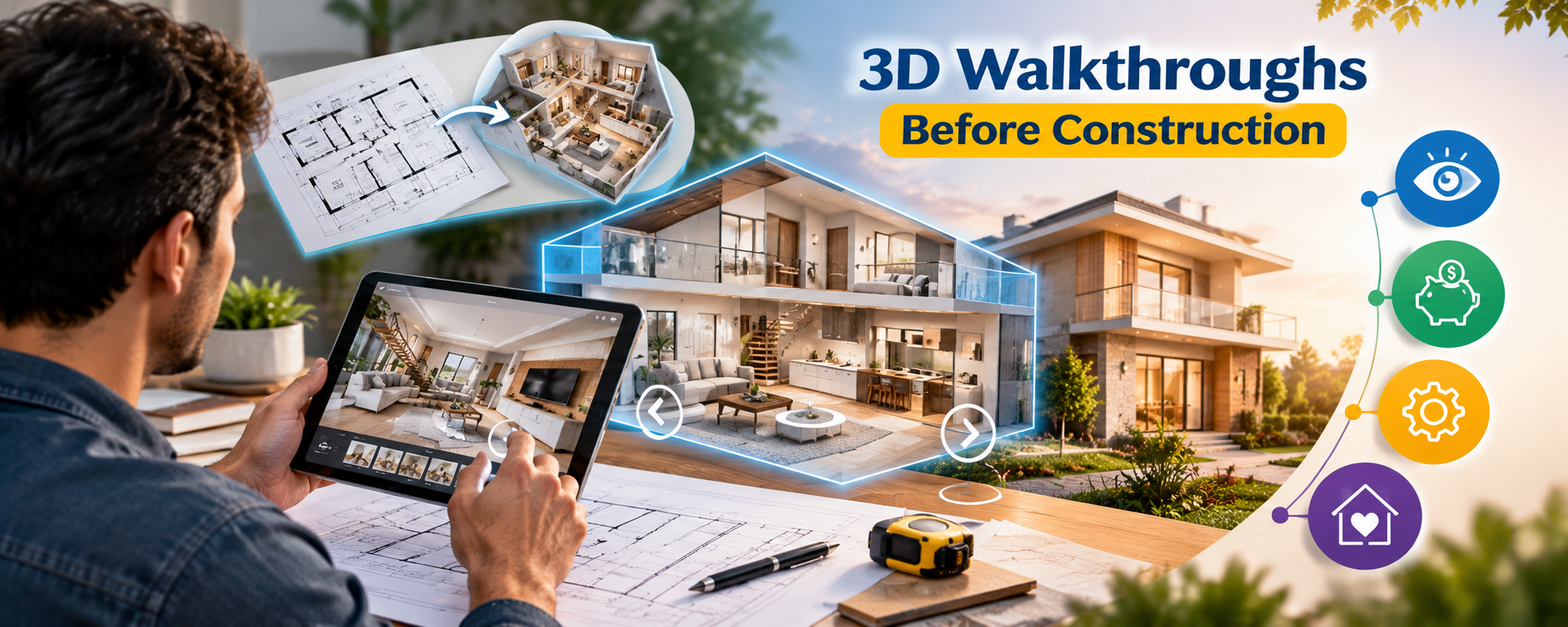

Building a home involves hundreds of decisions, from selecting the floor plan and staircase position to choosing tiles, lighting, windows and kitchen fittings. One of the biggest challenges for homeowners is understanding how these individual decisions will come together in the finished house. A floor plan may look perfect on paper, but the actual room proportions, furniture arrangement or movement between spaces can be difficult to imagine.
This is where 3D walkthroughs before construction become valuable. They allow homeowners to explore a digital representation of their proposed house before any major construction work begins. Instead of interpreting every line on a drawing, you can virtually enter the home, move between rooms and examine how the proposed spaces connect.
A 3D walkthrough is not just a presentation tool. When prepared from accurate architectural drawings and used during design reviews, it can help homeowners make informed decisions, communicate their preferences clearly and identify potential problems while changes are still relatively straightforward.
What Is a 3D Walkthrough in Home Construction?
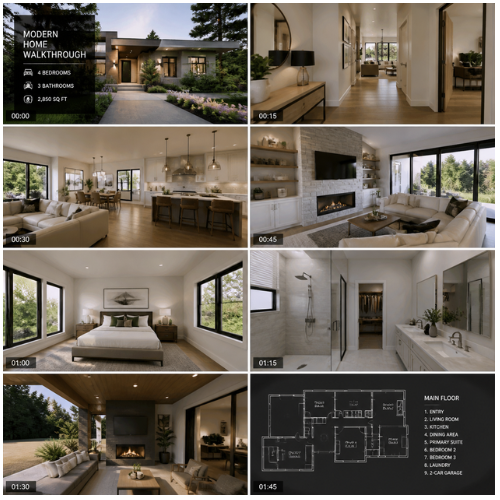
A 3D walkthrough is a computer-generated visual tour of a proposed building. It may be presented as a video, an interactive digital model or an immersive virtual reality experience.
The model can show the exterior elevation, entrance, living room, bedrooms, kitchen, bathrooms, staircase, balcony and other planned areas. Depending on the level of detail, it may also illustrate furniture, flooring, wall finishes, lighting arrangements and landscaping.
For example, a homeowner planning a two-storey house can virtually move from the main entrance into the living room, explore the kitchen and then view the staircase connecting the upper floor. This makes it easier to understand the design as a connected living environment rather than a collection of separate drawings.
However, a walkthrough represents the proposed design, not a guarantee of the finished result. Construction drawings, structural details and approved specifications remain essential.
1. Understand Room Sizes and Space Utilization
One of the most practical benefits of a 3D walkthrough is that it helps homeowners evaluate how rooms may function in everyday life.
A bedroom might appear spacious on a floor plan, but adding a double bed, wardrobe, side tables and a dressing unit can change how much usable space remains. Similarly, a dining area may accommodate a table on paper but leave insufficient room for chairs to be pulled out comfortably.
During a walkthrough review, consider how people will move around furniture, open doors and access storage. Pay particular attention to narrow passages, corners, door swings and the relationship between adjoining rooms.

Practical tip: Ask your architect to include furniture of realistic dimensions rather than using decorative items that are smaller than the furniture you actually intend to buy. This makes the visual review more useful for planning.
2. Identify Design Problems Before Construction

Changes made during the design stage are generally easier to coordinate than changes made after walls, flooring or services have been installed. A walkthrough can help reveal issues that are difficult to understand from a two-dimensional drawing alone.
For instance, the entrance door may open directly toward a furniture arrangement that restricts movement. A staircase may dominate the living room more than expected, or a bedroom window may not provide the privacy the homeowner wants.
These observations give the architect an opportunity to investigate alternatives before the design is finalized.
It is important to remember that a visual walkthrough cannot identify every technical defect. Reinforcement placement, foundation design, structural capacity, waterproofing details and electrical safety require appropriate drawings, calculations, inspections and professional checks.
3. Choose Interior Materials With Greater Confidence
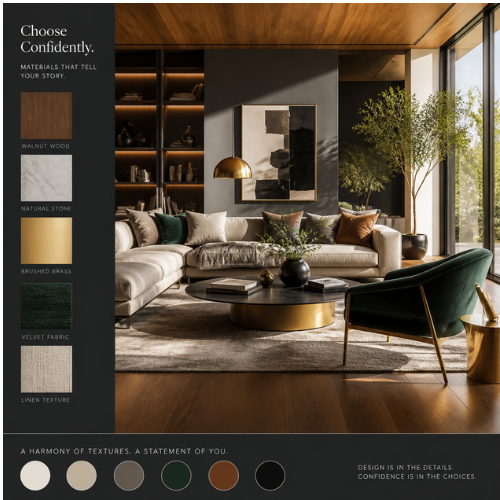
Selecting materials becomes easier when homeowners can compare how different finishes may look together. A walkthrough can help visualize combinations of floor tiles, wall colours, kitchen cabinets, countertops, ceiling designs and door finishes.
For example, large-format light-coloured tiles may create a visually open appearance, while darker flooring can produce a contrasting effect with light walls and wooden furniture. The walkthrough helps you review these combinations within the proposed room layout.
Nevertheless, screen colours and rendered materials may differ from actual products because of lighting, display settings and rendering quality. Before purchasing expensive materials, inspect physical samples under suitable lighting and confirm their specifications.
Homeowners should also check slip resistance, durability, maintenance requirements and suitability for the intended location rather than selecting materials on appearance alone.
4. Plan Natural Light and Ventilation More Effectively
Windows, balconies and openings influence how a home receives daylight and how air can move through its rooms. A walkthrough can help homeowners understand the location of openings and their relationship with furniture, walls and neighbouring buildings.
For a house in Lucknow, where summer temperatures can be high, it is particularly useful to review window placement, shading, roof exposure and the orientation of frequently occupied rooms.
However, a visually bright room in a 3D animation does not necessarily mean that the actual room will receive adequate daylight. A realistic assessment should consider orientation, surrounding obstructions, window dimensions, shading and seasonal sun angles.
Ask your architect whether daylight or ventilation analysis is appropriate for your project. Effective climate-responsive design should be based on site conditions and technical assessment, not visual appearance alone.
5. Review the Exterior Elevation Before Finalizing It
The front elevation creates the first impression of a house, but it must also work with the internal layout and practical construction requirements.
A 3D walkthrough can help homeowners compare facade materials, balcony proportions, entrance features, boundary walls, exterior lighting and colour combinations. It can also show how the building may appear from the street and how the entrance connects to the driveway or pedestrian path.
For example, a decorative projection may look attractive in a render but require additional waterproofing, maintenance or structural coordination. Reviewing the design with the architect helps balance appearance with buildability.
Before approving the elevation, confirm that the proposed features are compatible with the structural drawings, local building requirements, drainage arrangements and agreed construction budget.
6. Improve Budget Planning and Reduce Unnecessary Changes
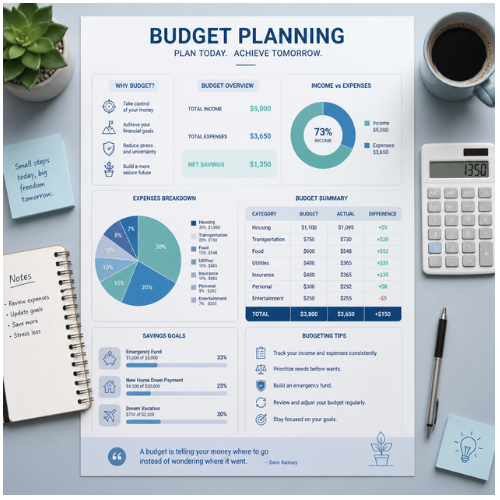
A walkthrough does not automatically reduce construction costs, but it can support better financial decisions by helping homeowners finalize important design choices earlier.
When the layout, finishes and major features are reviewed in advance, the team can identify changes that may affect quantities, labour or installation work. Moving a bathroom, changing a staircase or modifying a large window after construction has started can involve more than a simple visual adjustment.
The homeowner should ask for a clear record of approved materials, dimensions, finishes and design revisions. Any change that affects the structure, building services or quantities should be reflected in the relevant technical drawings and cost estimate.
Useful hack: Review the expensive or difficult-to-change decisions first, including the room layout, staircase, kitchen arrangement, bathroom locations and window openings. Decorative details can usually be finalized later, provided they do not affect construction coordination.
7. Improve Communication With Your Architect and Contractor
Homeowners may describe a design preference differently from how an architect or contractor interprets it. Words such as spacious, modern, luxurious or minimal can mean different things to different people.
A walkthrough provides a shared visual reference for discussing these preferences. You can point to a specific wall, doorway, ceiling feature or furniture arrangement and explain what you want changed.
It is particularly useful when several family members are involved in decision-making. Everyone can review the same proposed design and raise concerns before final approval.
After the walkthrough, record the agreed revisions and ask the architect to update the formal drawings. The contractor should build from the approved construction documents and specifications, not from a video alone.
8. Understand the Limitations Before Paying for a Walkthrough
Not every 3D walkthrough offers the same level of detail. A basic animation may show the general layout and exterior appearance, while a more detailed model may include materials, furniture, lighting and interactive navigation.
Before commissioning the work, ask what is included, how many revisions are allowed, which rooms will be modelled and whether the visualization will be updated after design changes.
Also confirm whether the model is based on the latest architectural drawings. An attractive walkthrough prepared from outdated plans can create confusion and lead to incorrect expectations.
A walkthrough cannot fully communicate real-world acoustics, construction quality, thermal comfort, material performance or every technical detail. It should complement architectural drawings, engineering documents, physical samples and professional site supervision.
Frequently Asked Questions
1. What are 3D walkthroughs before construction?
They are digital visual tours of a proposed building that help homeowners understand the layout, room connections, finishes and exterior appearance before construction begins.
2. Are 3D walkthroughs necessary for building a house?
They are not mandatory for every project, but they can be particularly useful for custom homes, complex layouts, major renovations and projects involving many interior design decisions.
3. Can a 3D walkthrough help reduce construction costs?
It can help identify potential design changes before work begins, reducing some avoidable rework. Actual savings depend on the problems identified and whether the revisions are implemented effectively.
4. What is the difference between a 3D rendering and a 3D walkthrough?
A rendering shows a still image from one viewpoint. A walkthrough shows movement through a proposed space, usually as an animation or interactive tour, making room connections and circulation easier to understand.
5. Can I check the exact room dimensions through a walkthrough?
The model can represent specified dimensions, but measurements should be verified against dimensioned architectural drawings. A rendered image alone should not be used for setting out construction work.
6. Can a 3D walkthrough show furniture and interior materials?
Yes. Depending on the scope, it can include furniture, flooring, wall finishes, cabinets, lighting and other design elements. Actual product samples should still be checked before final selection.
7. When should a homeowner request a 3D walkthrough?
Ideally, request it after the initial layout has been developed but before the architectural design and major specifications are finalized. This allows the team to incorporate useful revisions before construction.
8. Can a 3D walkthrough replace architectural and structural drawings?
No. It is a visualization tool, not a substitute for approved architectural drawings, structural calculations, electrical plans, plumbing layouts or other required technical documents.
9. Can I view a 3D walkthrough on my mobile phone?
Many walkthroughs are available as videos or browser-based interactive tours that work on compatible mobile devices. More advanced interactive experiences may require suitable hardware or a virtual reality headset.
10. What should I check before approving my home's walkthrough?
Review room proportions, furniture clearances, door openings, staircase access, window placement, kitchen workflow, bathroom layouts, exterior features and material combinations. Confirm every accepted change with your architect and ensure the formal drawings are updated.