


Architecture has always been a balance between art, engineering, and imagination. As technology advances, architects are no longer limited to pencils and drafting tables — instead, they now rely on powerful digital tools that help them design, visualize, and manage entire projects with precision and speed.
In 2025, the architectural software landscape has evolved dramatically. Artificial intelligence, Building Information Modeling (BIM), parametric design, and real-time rendering have changed how architects work. These innovations make it possible to design more efficiently, minimize errors, and deliver beautiful, sustainable, and functional buildings.
This article explores the best software tools for architects in 2025 — the tools that define modern design workflows. Whether you’re a student, freelancer, or a professional working in large firms, this guide will help you understand which tools fit your creative and practical needs.
1. Autodesk Revit – The Backbone of Modern BIM Design
When it comes to Building Information Modeling (BIM), Autodesk Revit continues to lead the industry in 2025. Revit is more than a drafting tool — it’s a digital ecosystem that connects design, construction, and management under one platform.
Key Features
Revit allows architects to create intelligent 3D building models that include every physical and functional detail of a project. When one element of a design changes, all related views and drawings update automatically. This ensures coordination and eliminates redundant work.
- Parametric Modeling: Every wall, floor, or window has parameters that control its size, material, and behavior. Adjusting one part updates the entire model.
- Integrated Documentation: Plans, sections, elevations, and schedules are generated directly from the 3D model.
- BIM Collaboration: Revit connects architects, engineers, and contractors on one shared model, reducing communication errors.
- Energy and Performance Analysis: Modern Revit versions integrate sustainability tools for energy modeling and daylight studies.
- Cloud Integration: Through Autodesk Construction Cloud, teams can collaborate remotely with real-time data updates.
Why Architects Love It
Revit has become the standard for large-scale architectural projects because of its precision, coordination power, and ability to produce complete construction documentation. It’s ideal for firms handling hospitals, educational institutions, offices, or housing complexes.
Specifications
Revit requires high-performance hardware — at least 16–32 GB RAM, a strong CPU, and a dedicated GPU for visualization. It’s available for Windows and integrates seamlessly with AutoCAD, Navisworks, and 3ds Max.
2. Graphisoft Archicad – Elegant and Architect-Friendly BIM
While Revit dominates large enterprises, Graphisoft Archicad is often preferred by architects who want a smoother, design-oriented BIM experience. Archicad combines robust modeling capabilities with an intuitive interface.
Core Functions
Archicad lets architects design buildings in 3D and automatically generate 2D documentation. Its interface feels more visually appealing and less technical, which makes it easier for creative professionals.
- Open BIM Support: Archicad uses the Industry Foundation Classes (IFC) format, allowing easy collaboration with engineers using other software.
- Teamwork Mode: Multiple users can work on the same project simultaneously without data conflicts.
- Real-Time Visualization: Built-in rendering engines like CineRender and Twinmotion Live Link allow instant visualization.
- Automation and Smart Objects: Reusable “smart objects” save time and ensure design consistency.
Strengths
Archicad focuses heavily on user experience and efficiency. It’s known for being lighter on system resources and faster when handling large projects. Its clean interface helps architects think creatively without being overwhelmed by technical details.
Best Use Case
Archicad suits architectural studios that emphasize design quality and want efficient BIM workflows without complex engineering integrations. It’s widely used for residential, institutional, and mid-scale commercial projects.
3. Rhino 3D + Grasshopper – Power of Parametric Design
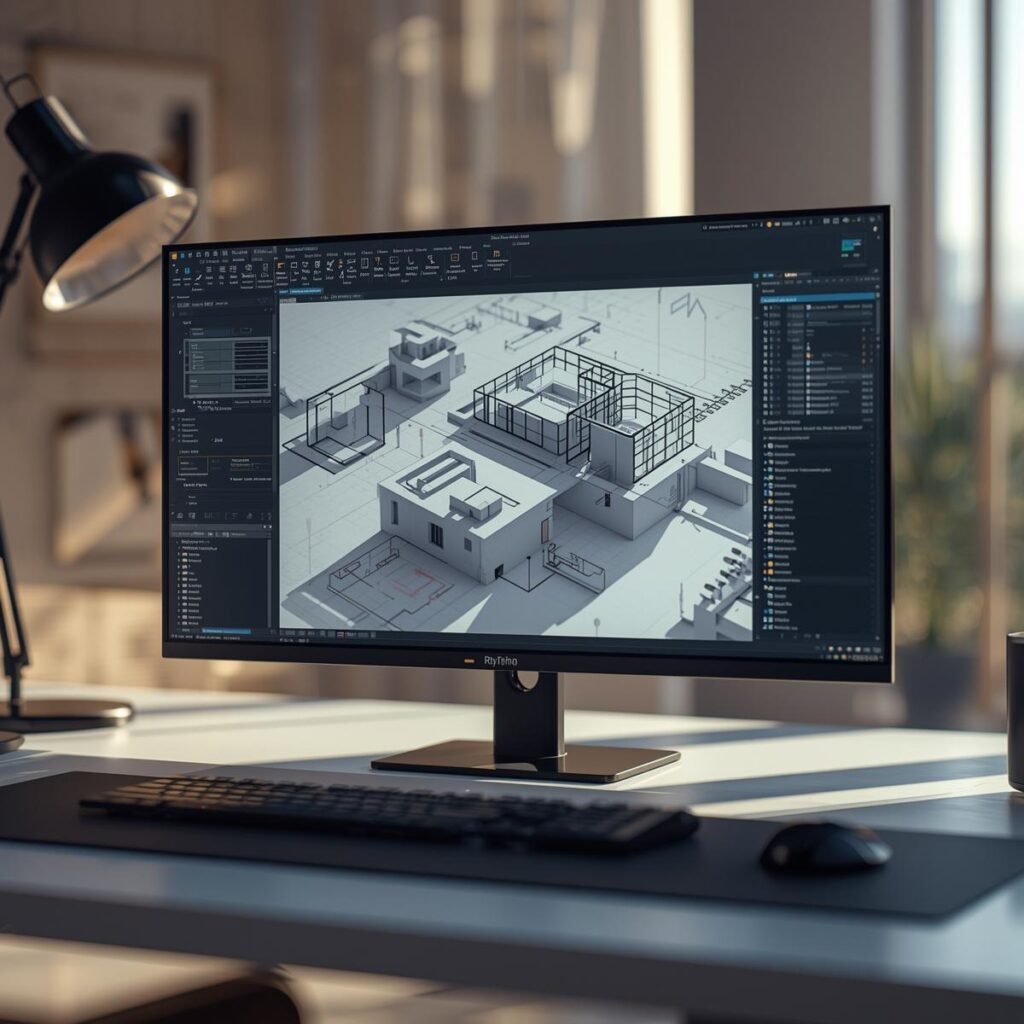
When creativity demands freedom, Rhino 3D paired with Grasshopper is unbeatable. Rhino specializes in NURBS-based 3D modeling, which allows precise control of complex curves and surfaces — perfect for designing innovative and organic architectural forms.
Why It’s Special
Unlike traditional CAD tools, Rhino allows architects to sculpt geometry with fluidity — domes, curved façades, twisted towers, and free-flowing pavilions. Grasshopper, Rhino’s visual programming plugin, takes things further by introducing parametric and algorithmic design.
Key Features
- NURBS Modeling: Create geometrically complex structures with smooth surfaces.
- Parametric Control: Grasshopper uses nodes and connections to define design logic. Change a parameter, and the model updates automatically.
- Plugin Ecosystem: Supports thousands of plugins for simulation, rendering, and fabrication (Kangaroo, Ladybug, Weaverbird, etc.).
- File Compatibility: Imports and exports to formats like DWG, IFC, STL, OBJ, and more — connecting easily with Revit and Archicad.
Performance and Requirements
Rhino works on both Windows and macOS. It needs a powerful GPU and enough RAM (16GB+) for large models. Though not a full BIM software, it’s often used in the concept and early design stages, then linked to BIM tools for documentation.
Ideal Projects
Rhino + Grasshopper is ideal for experimental architecture, urban design, parametric façades, and innovative structures where creativity meets computation.
4. SketchUp Pro and SketchUp Studio – Simple Yet Powerful
For many architects, SketchUp remains a favorite because of its simplicity and visual clarity. In 2025, it continues to dominate conceptual and schematic design stages.
Why SketchUp Works So Well
SketchUp’s strength lies in its ease of use. Architects can sketch ideas as if drawing on paper but with the precision of 3D modeling. Its “Push/Pull” interface makes creating and editing geometry extremely intuitive.
Core Functions
- Fast Concept Modeling: Ideal for massing studies and early-stage design visualization.
- Plugin Support: Extensions like V-Ray, Enscape, and Lumion integrate for high-quality rendering.
- Layout Tool: Converts models into 2D drawings for presentation and documentation.
- Cloud and Collaboration: SketchUp Studio provides real-time collaboration and BIM data exchange.
- Pre-built Component Library: 3D Warehouse gives access to thousands of pre-modeled furniture, materials, and structures.
Technical Needs
SketchUp runs efficiently on both Windows and macOS. It’s less hardware-demanding than BIM tools but requires a decent GPU for rendering workflows.
Who Should Use It
SketchUp is perfect for students, freelancers, and small firms. It’s often the first step before moving to advanced tools like Revit or Archicad. For quick presentations and client interactions, it’s unbeatable.
5. Enscape and Twinmotion – Real-Time Visualization Revolution
In modern architecture, presentation matters as much as precision. Clients no longer want to see static images — they expect immersive, lifelike experiences. That’s where Enscape and Twinmotion come in.
About These Tools
Both are real-time rendering software that convert 3D or BIM models into interactive environments. You can walk through your design, view realistic lighting, and even explore the project in virtual reality.
Enscape Features
- Real-Time Rendering: Updates visuals instantly as you modify the model.
- VR Integration: Allows immersive walkthroughs for clients.
- Lighting & Materials: Realistic reflections, shadows, and environment maps.
- BIM Compatibility: Integrates seamlessly with Revit, SketchUp, Archicad, and Rhino.
Twinmotion Features
- Epic Unreal Engine Integration: Provides cinematic-quality rendering and animations.
- Drag-and-Drop Environment Tools: Easily add trees, people, vehicles, and weather effects.
- VR and Presentation Tools: Perfect for client meetings and marketing visuals.
Why They Matter in 2025
Visualization is now a crucial part of architectural storytelling. These tools help architects communicate design intent effectively, improve client engagement, and make faster design decisions.
6. Navisworks – Coordination and Clash Detection
As buildings become more complex, coordination between architecture, structure, and services becomes critical. Autodesk Navisworks helps manage and integrate these multidisciplinary models.
Core Capabilities
- Model Aggregation: Combine files from Revit, AutoCAD, Civil 3D, and other sources into one unified model.
- Clash Detection: Automatically identifies where elements (like pipes and beams) conflict.
- 4D and 5D Simulation: Adds time and cost data to BIM models for construction planning.
- Collaboration Review: Annotate, comment, and coordinate design reviews among all stakeholders.
Ideal Application
Navisworks is essential for project management and construction coordination in large projects such as airports, hospitals, and industrial facilities. It ensures efficiency, reduces rework, and prevents costly on-site errors.
7. Vectorworks Architect – Flexibility Meets Power
Vectorworks Architect is a versatile design tool that bridges the gap between 2D drafting and full BIM modeling. Its hybrid workflow allows architects to start with sketches and evolve them into complete BIM models.
Key Features
- Integrated 2D and 3D Environment: Drafting and modeling coexist in one workspace.
- Smart Objects and Parametric Tools: Easily adjustable walls, doors, and windows.
- Site Modeling and Landscape Design: Includes powerful terrain modeling and urban design capabilities.
- Open BIM and IFC Support: Ensures easy collaboration with other tools.
Why It Stands Out
Vectorworks is ideal for firms that value design freedom but need accurate documentation. It’s known for excellent graphic output — presentation drawings in Vectorworks often look more artistic and refined than in traditional BIM software.
8. Snaptrude – The Emerging Cloud-Based BIM Platform
A rising star in 2025 is Snaptrude, an Indian-origin platform that brings BIM to the web. It allows architects to model, analyze, and collaborate directly from a browser.
Highlights
- Web-Based BIM: No heavy installation — just log in and start designing.
- Real-Time Collaboration: Multiple users can edit the same model simultaneously.
- Automatic Documentation: Generates plans, sections, and BOQs automatically.
- Integration with Revit and IFC: Seamless data flow between platforms.
Why It’s the Future
Snaptrude represents the shift toward lightweight, cloud-first design tools. It democratizes BIM, making it more accessible to small firms, startups, and students.
9. AutoCAD Architecture – The Classic Drafting Giant
Even in 2025, AutoCAD Architecture remains a foundational tool for architects worldwide. Though newer BIM tools dominate, AutoCAD still excels in 2D drafting and detailed construction drawings.
Features
- Precision Drafting: Perfect for technical drawings, details, and schematics.
- Block Libraries: Architectural components like walls, doors, and fixtures.
- Xrefs and Layout Tools: Helps manage large projects efficiently.
- Integration: Works seamlessly with Revit and other Autodesk products.
Why It Still Matters
Many firms use AutoCAD as a supportive tool for BIM workflows or as a standalone solution for small projects. Its familiarity and precision keep it relevant even in the AI-driven era.

10. Adobe Creative Cloud – The Design Presentation Companion
Architectural work doesn’t end with modeling — presentation plays a huge role in conveying vision. Tools like Photoshop, Illustrator, InDesign, and After Effects are essential for visualization and storytelling.
Use in Architecture
- Photoshop: Enhancing renderings, post-processing visuals.
- Illustrator: Creating diagrams, infographics, and vector drawings.
- InDesign: Compiling project portfolios and reports.
- After Effects: Making animated walkthroughs and motion graphics.
In 2025, Adobe’s AI-based tools simplify editing, background removal, and automatic layout generation — saving hours of manual work.
How to Choose the Right Software
Selecting the right tool depends on your goals, project type, and team structure. Here’s a simple guide:
- For BIM and Documentation: Revit or Archicad.
- For Creativity and Form Generation: Rhino + Grasshopper.
- For Quick Conceptual Design: SketchUp or Snaptrude.
- For Visualization: Enscape or Twinmotion.
- For Coordination: Navisworks.
- For Presentation and Communication: Adobe Creative Suite.
Always consider your hardware capacity, budget, and learning curve before committing to any platform.
Trends Shaping Architecture Software in 2025
- Artificial Intelligence in Design: AI-assisted layout optimization and code compliance checks.
- Cloud Collaboration: Teams work remotely through shared models in real-time.
- Parametric and Generative Design: Tools like Grasshopper and Dynamo automate complex forms.
- Sustainability Integration: Energy modeling, daylight analysis, and carbon tracking built directly into design tools.
Virtual Reality (VR) and Augmented Reality (AR): Architects can now walk clients through unbuilt projects with lifelike immersion.
The year 2025 marks a milestone in the evolution of architectural technology. The best software tools for architects in 2025 are not just about modeling buildings — they empower creativity, improve collaboration, and ensure precision from concept to construction.
Whether you prefer the detailed intelligence of Revit, the design freedom of Rhino, the simplicity of SketchUp, or the immersive power of Twinmotion, every architect now has the tools to transform imagination into reality.
As architecture becomes more digital, sustainable, and human-centered, these tools will continue to shape how we design the spaces where people live, learn, and dream.